
How to find your Handle and Nickname
Step 1: Open your Avatar Profile
Click on the icon of your Avatar in the top-left corner of the game (marked in red in Image 1).
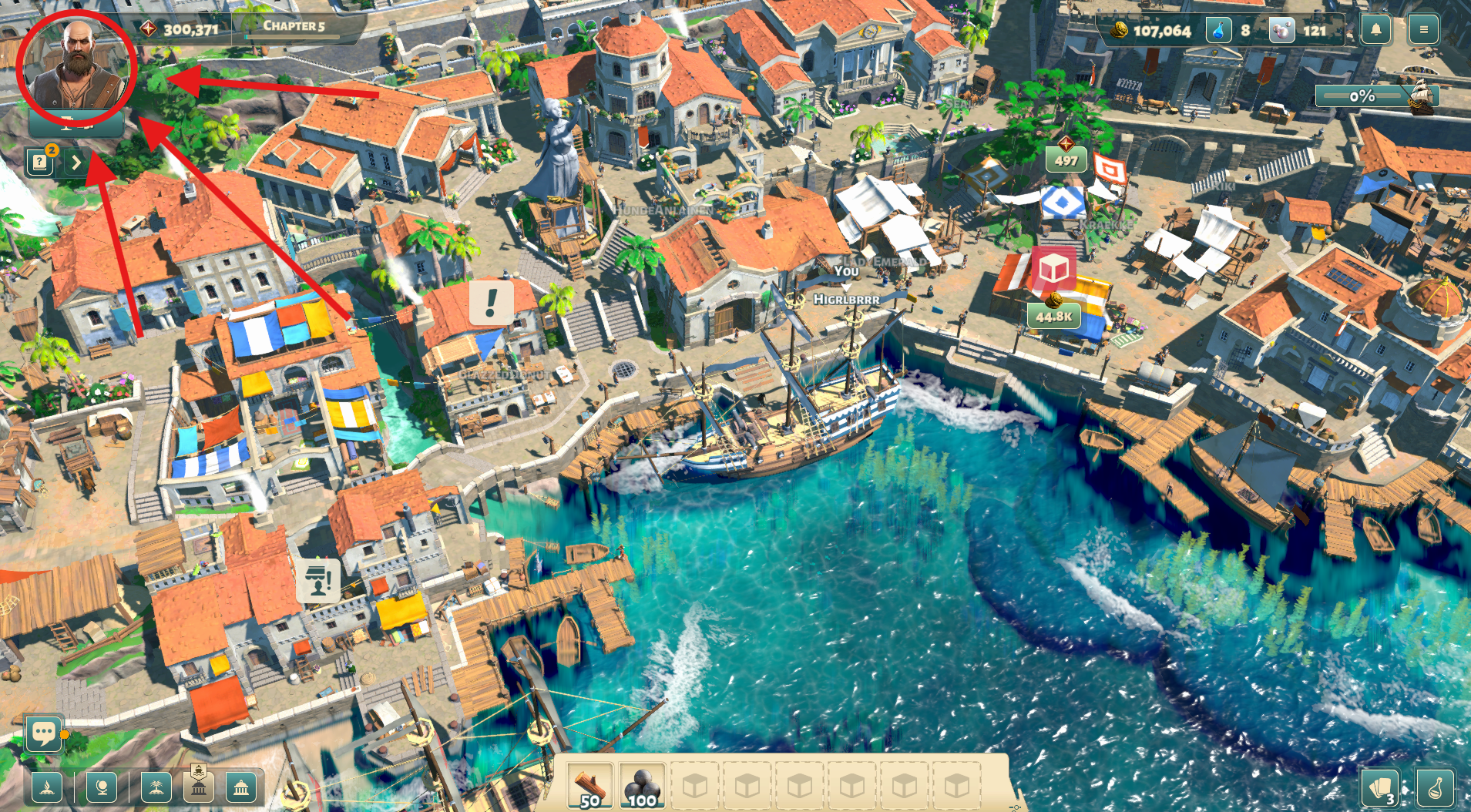
A window will open where you can view and edit your Avatar.
Step 2: Locate your Nickname and Handle
In the lower middle of the Avatar window, you’ll see your combined name (shown in Image 2).
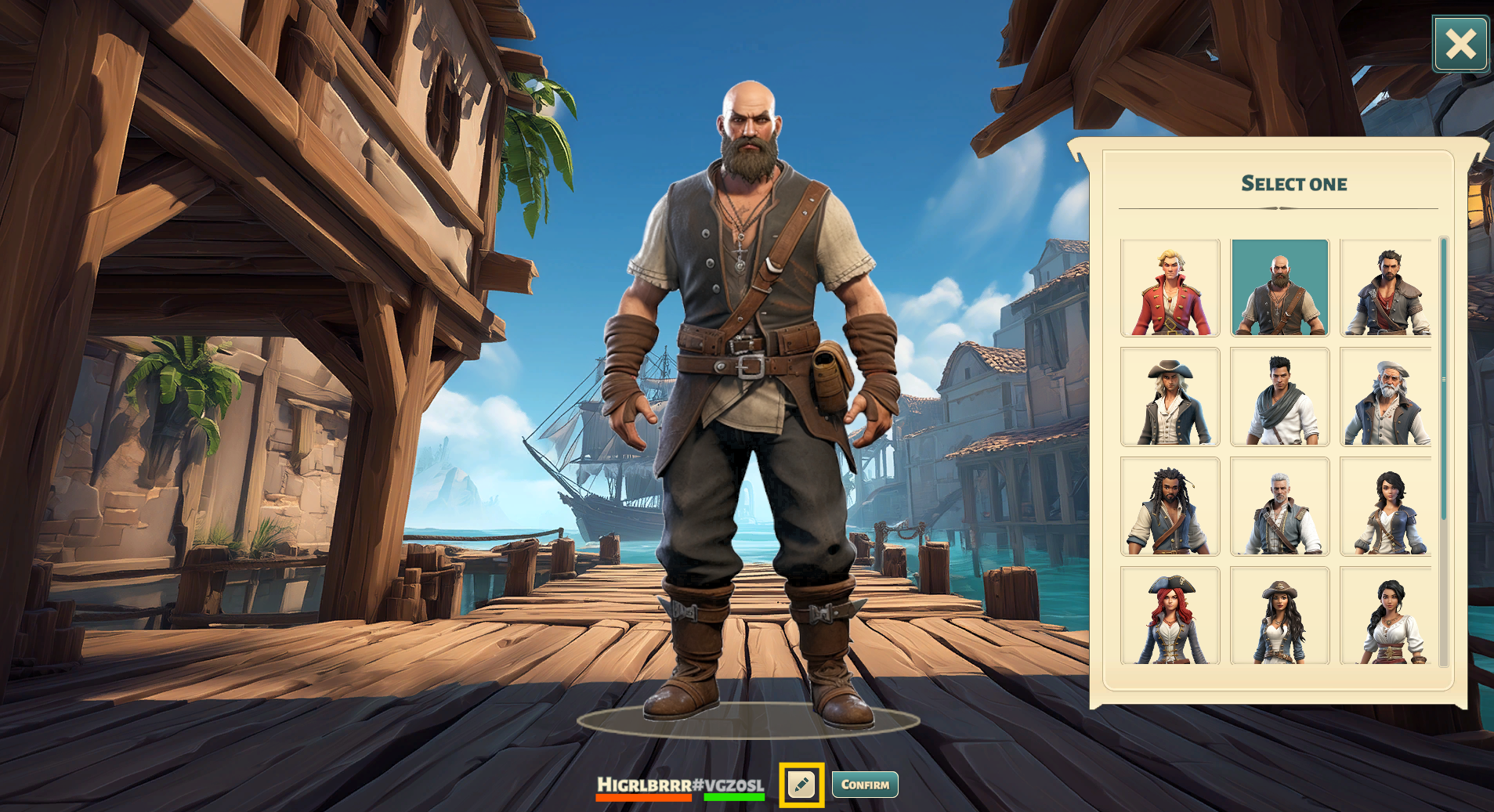
This combined name consists of:
Nickname (highlighted in orange)
Handle (highlighted in green)
Both are separated by a # like this:
Nickname#Handle
What’s the difference between Nickname and Handle?
Nickname
A flexible in-game name
Not unique (other players can have the same nickname)
Can be changed from the beginning
Handle
A unique name
Used to find friends or let friends find you
Can only be changed after completing at least one full round on a game world
How to change your Nickname and Handle
In the Avatar window, click the edit icon (highlighted in yellow in Image 2).
A rename window will open where you can edit your Nick- and Handlename.
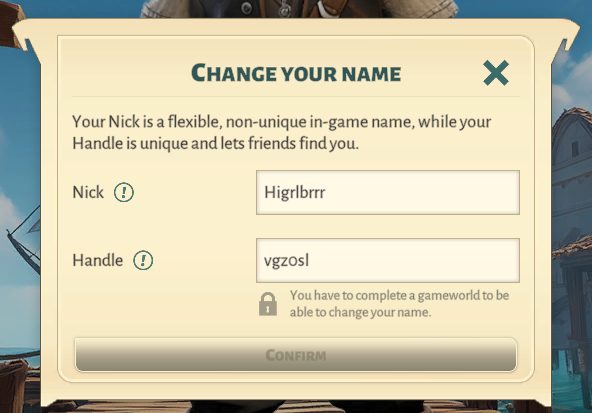
Once you have entered the new names, click Confirm to apply them.